Getting started
Develop your own database
Two steps to set up your IDMOS database after you sign up.
Steps
Create, then install
01
Create your database
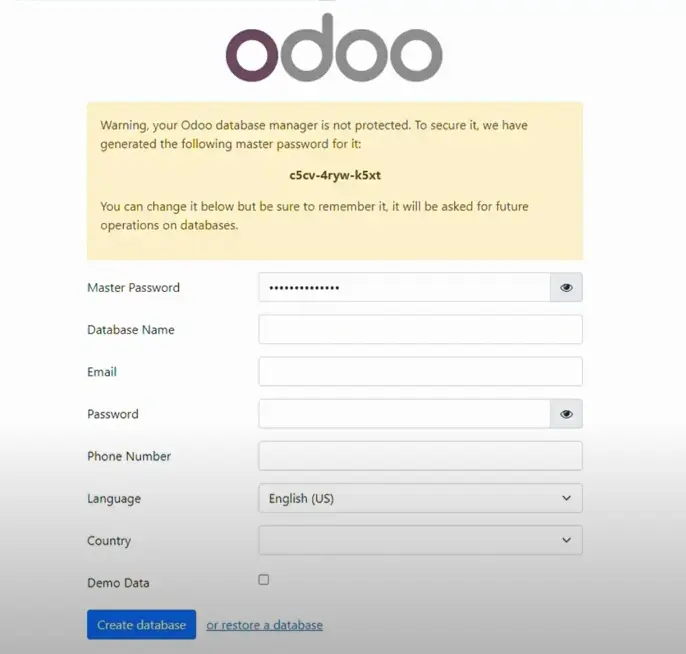
Follow the link in the email to set your database name and create it.
02
Install your apps
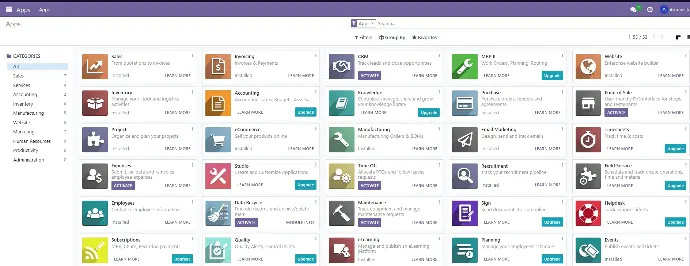
Log in to your database, go to the Apps hub and install the app module. Activate it after installation.
Video guide: set up your own database
Screens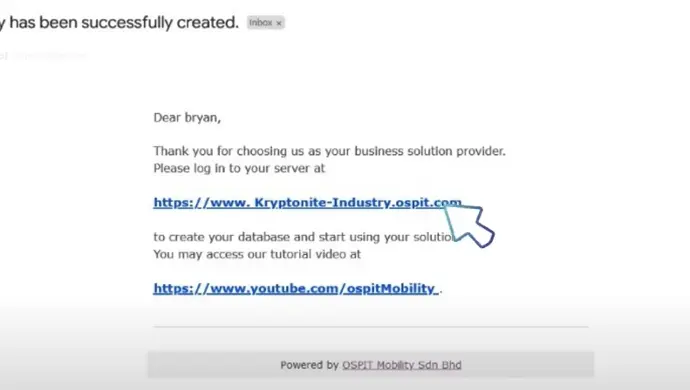
What you will see
Questions
Frequently asked questions
How do I create my IDMOS database?
Follow the link in your sign-up email to set your database name and create it.
How do I add apps to my database?
Log in, go to the Apps hub, install the app module you need and activate it after installation.
Where can I get more help?
See our Q&A page or media gallery, or call +60 3-5880 5009 (Mon-Fri 9:00-18:00).
Need help with your database?
Our team can walk you through the setup.